Demystifying Pixels
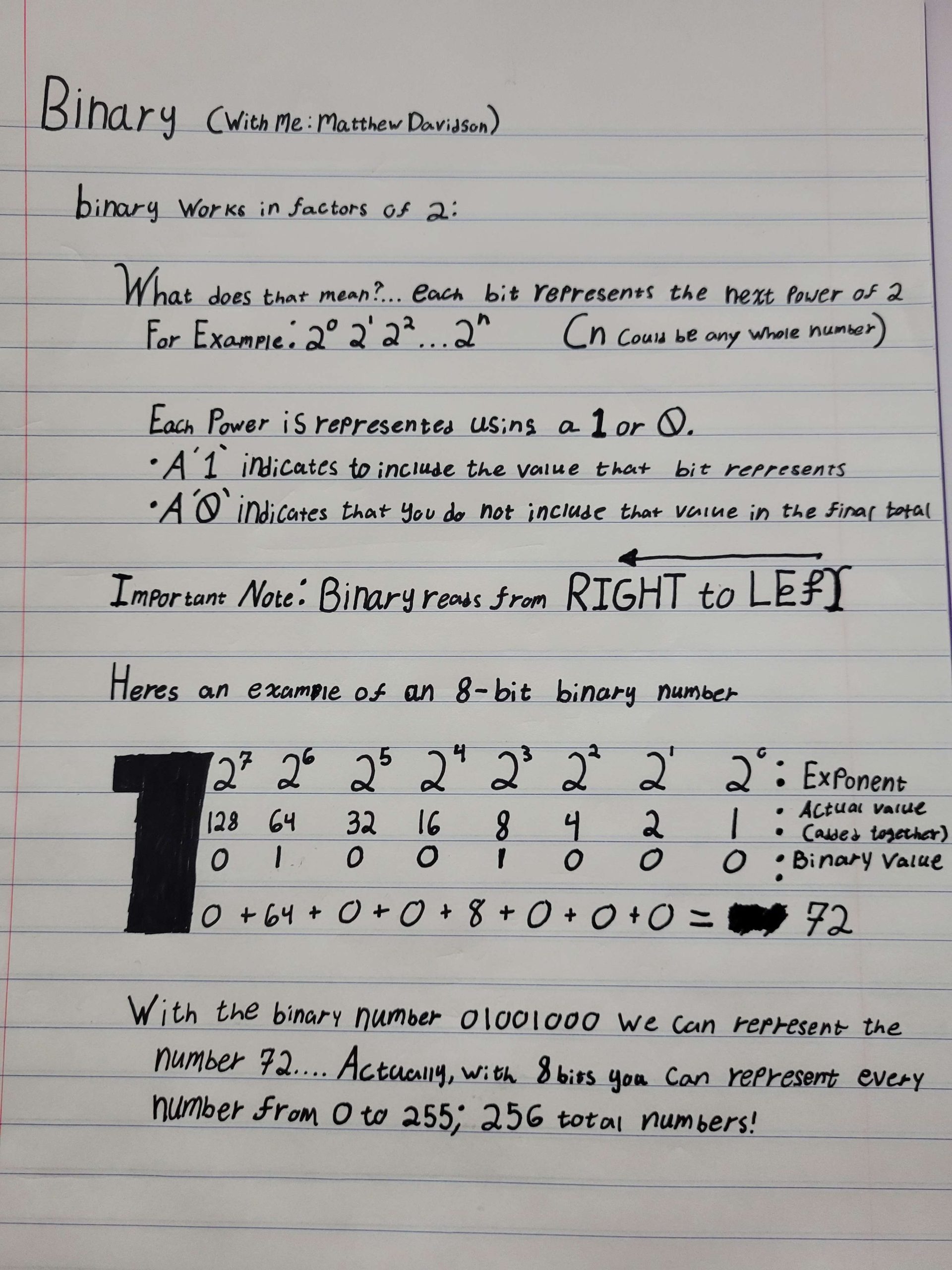
First, a breif explanation of how binary works. Initially I planned to explain binary using resources online but I found it easier to create my own source.
The most important take away from this example is that binary is read from right to left and an 8-bit value can represent 256 different numbers.
Bits Mean More Than Int
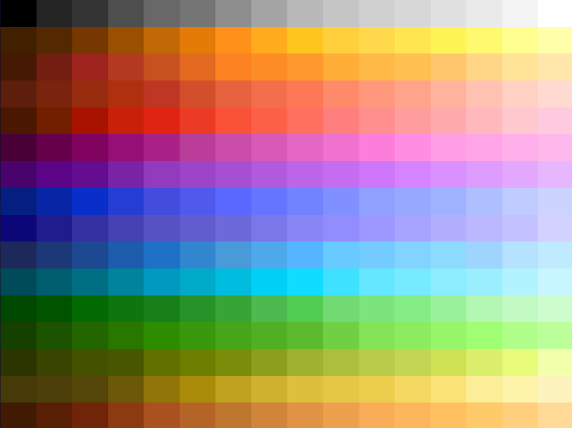
Bits can represent more than integer numbers. This is from converting integer values into a table of preexisting equivalent values in a table. For instance, this is exactly what GIF images do with 8-bit binary numbers. They convert each binary pixel to a color available on a pallet.
To the left you can see each color that can be represented in an 8 bit value for GIF images (exclude the fact that gifs also have moving image properties right now)

8 Bits ⇒ 7 Bits
256 colors ⇒ 128 colors
By default, each pixel in a GIF image is represented by an 8 bit number, which can represent 256 different colors.
But what if we changed that? Enter Bit Depth


6 Bits ⇒ 5 Bits
64 colors ⇒ 32 colors
Bit Depth represents the number of bits that represent each pixel.
Look closely at the four weird portaits. As the number of bits in each pixel is lowered (smaller bit depth), the number of available colors in our palate are reduced.
As a result, we lose detail, you can see smaller bit depths struggle to show details on the forehead.

Bigger Doesn’t Always Mean Better
For Example:
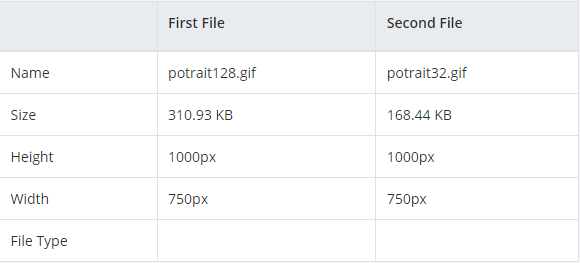
The 128 bit image is significantly larger than the 32 bit image.